
















Microsoft Dynamics 365

Dynamics 365 Field Service

Planning and coordinating service teams intelligently.

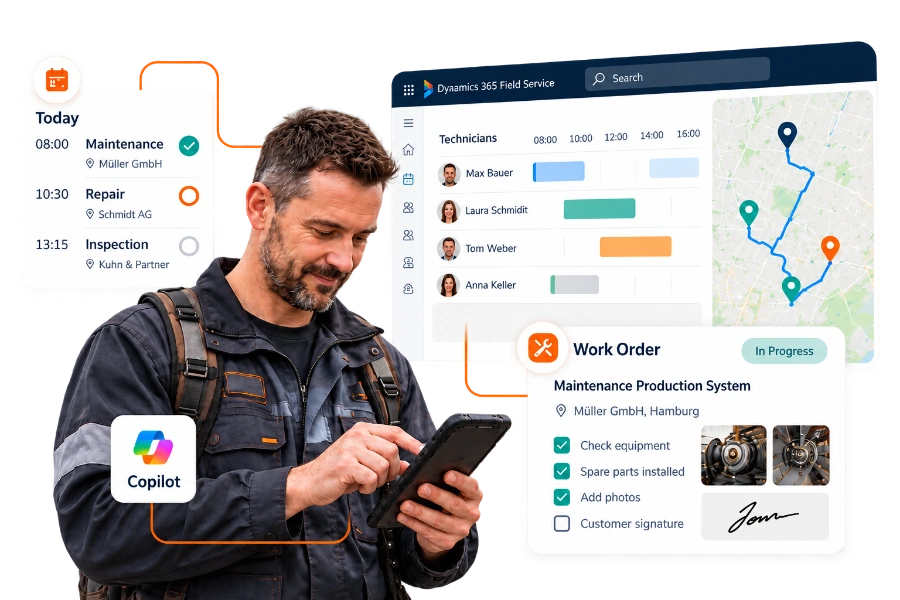
Microsoft Dynamics 365 Field Service is made for companies whose staff work at customer sites: installing, servicing, repairing or inspecting equipment. It covers the whole process in one system, from the customer's call or a maintenance date in a service contract to the planned visit, the completed work and the invoice.

Dispatchers plan appointments on a schedule board that shows who is available, where they are and what skills they have. Technicians receive their jobs in a mobile app, see the history of the equipment they are working on, and record time, parts, photos and the customer's signature on site, even without mobile reception. Microsoft Copilot helps both in the office and in the app.

Microsoft Solutions Partner

Backed by six Microsoft Solutions Partner designations

As a Microsoft Solutions Partner, we have extensive experience and proven expertise in six key areas

12% fewer repeat visits

Scheduling that adapts when the day changes

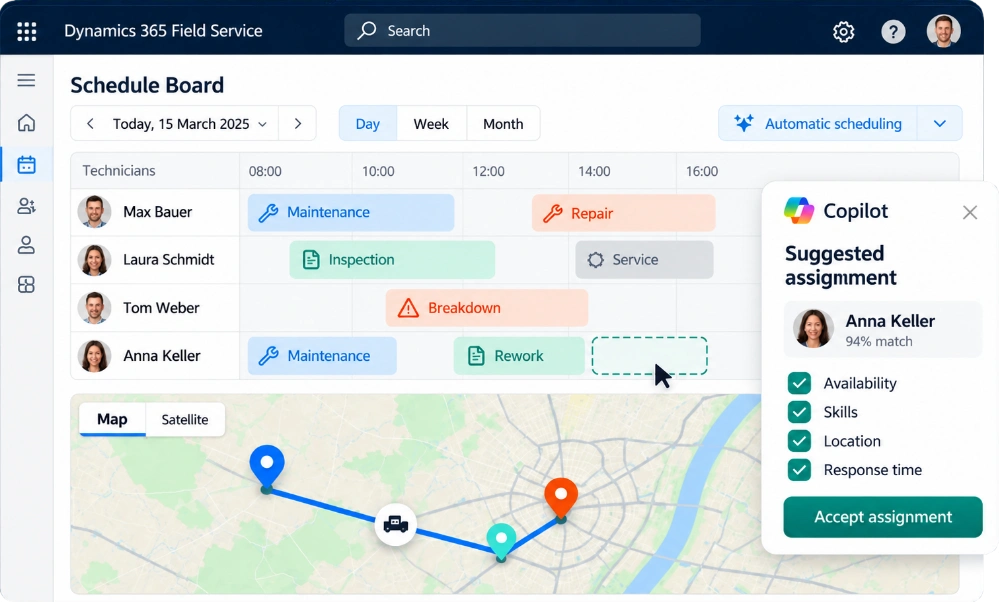
A technician is ill, a job takes longer than planned, an urgent breakdown comes in: in field service, the schedule changes every day. On the schedule board, dispatchers see all jobs and technicians on a map and a timeline and can move appointments by drag and drop. The system suggests who fits best, based on skills, location, availability, priority and the response time agreed with the customer.

With the Scheduling Operations Agent, Microsoft adds AI support for dispatchers: it suggests assignments, reshuffles the plan when something changes and takes travel times into account. For large teams, automatic schedule optimisation can plan whole days or weeks in one go.

In a Forrester-Study commissioned by Microsoft, companies using Dynamics 365 Field Service made 12 percent fewer repeat visits, because the right technician arrived with the right parts and information. Their dispatchers worked 40 percent more productively.

12%

fewer repeat visits

40%

more productive dispatchers

Field Service Mobile App

What technicians see on their phone

The Field Service mobile app runs on phones and tablets and works offline, which matters in basements, plants and rural areas. For each job, technicians see the address, contact person, task list, required parts and the full history of the equipment. They tick off checklists, scan barcodes, take photos, record time and materials and have the customer sign on the screen.

Copilot in the app summarises the work order before the technician arrives and lets them update it by typing or speaking in plain language. If they need help from a colleague, they can start a Microsoft Teams video call straight from the job and share what they see.

9:41 ●●● ▰
✳ Field Service
WORK ORDER · FS-2048
Maintenance of a
Production plant
⌖ Customer site · Hall 2
● In progress
Task list 2 of 4 completed
✓ Check the system
✓ Safety check
Record spare parts used
Customer’s signature
On-site data collection
Photos
Barcode
Call number
Available offline
Microsoft Copilot Copilot
Order information and asset history at a glance.
Microsoft Teams Video assistance
Schematic illustration of an app
Microsoft Dynamics 365 Field Service

From repairs to planned maintenance

Field Service keeps a record of every machine, system or device you service at your customers: where it is installed, which parts it contains and what work has been done on it. Service agreements generate maintenance work orders automatically at the agreed intervals, so no inspection is forgotten.

Connected machines can go one step further: when a sensor reports an unusual value, Field Service can create a work order automatically, so a technician checks the equipment before it fails.

Asset
History
Components Work performed History
Service agreements
Fixed intervals
Sensor
Unusual reading
Work order
automatically
before a failure occurs

Plan service calls more effectively. Manage maintenance proactively.

Let’s take a look together at how Dynamics 365 Field Service takes the pressure off your scheduling team and supports technicians in their day-to-day work.

Typical processes in Dynamics 365 Field Service

Typical processes in Dynamics 365 Field Service

Work orders from request to invoice

Work orders are created from a service request, a phone call, a service contract or a machine alert. Predefined job types determine the tasks, parts and expected duration, so every order is planned the same way. Once the technician has finished, the work order is ready for invoicing without anyone typing up paper reports.

Keeping customers informed

Customers receive a confirmation of their appointment and a message when the technician is on the way, by email or SMS. After the visit, they get a report with the work done and, if you wish, a short survey. A customer portal can show the status of open orders at any time.

From a service case to an on-site visit

If a problem can't be solved over the phone, the case from Dynamics 365 Customer Service becomes a work order in Field Service, with all the information already collected. The technician knows what the customer reported before they set off.

Spare parts & stock

Field Service tracks spare parts in your warehouses and in your technicians' vans. Parts used on a job are booked automatically, returns and transfers are recorded, and missing parts can be ordered directly from the work order.

Service contracts & preventive maintenance

Service agreements define which equipment is serviced how often and at which price. Field Service creates the maintenance orders in time and bills them according to the contract.

Service figures that show where to improve

Service agreements define which equipment is serviced how often and at which price. Field Service creates the maintenance orders in time and bills them according to the contract.
5 reasons to choose Dynamics 365 Field Service

Why Dynamics 365 Field Service is a winner

Whether it’s resource planning, mobile documentation or invoicing: Dynamics 365 Field Service brings together the key steps in field service. Technicians receive the right information, dispatchers maintain an overview, and completed jobs can be invoiced more quickly. These five reasons demonstrate the added value the solution brings to day-to-day work.

01

Fewer second visits

The right technician, the right parts and the full equipment history: when all three come together, most jobs are done on the first visit.

02

Dispatchers plan instead of phoning around

Availability, skills and location are visible on one screen. Dispatchers spend their time planning and reacting to changes, not calling technicians to find out where they are.

03

Invoices go out sooner

Completed work orders go straight to invoicing, with time and materials already recorded. No more paper reports that sit in the van for a week.

04

Less paperwork for technicians

Reports, checklists and signatures are completed in the app on site. Technicians don't have to fill in forms in the evening.

05

Connected to Business Central

Microsoft provides a ready-made integration between Field Service and Business Central for items, projects and invoicing. collana knows both systems and connects them to fit your processes.

From the service request to the invoice. Everything at a glance.

Together, we’ll look at how you can integrate your field service, spare parts and invoicing with Dynamics 365 Field Service.
References

Field service projects with collana

These companies started with whiteboards, spreadsheets or an old field service tool that no longer kept up. Today their technicians work with a mobile app, their dispatchers see the whole team at a glance and service work is invoiced the same day it is done.
Typical processes in Dynamics 365 Field Service

From whiteboards and paper forms to a mobile app

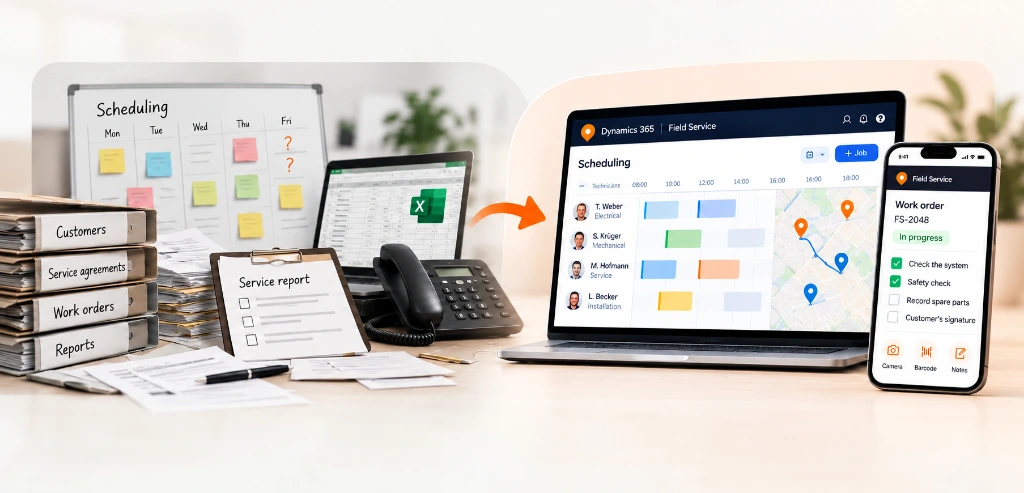
In many service organisations, planning still happens on a whiteboard or in a spreadsheet, technicians receive jobs by phone and reports come back on paper. It works as long as the team is small, but every sick day, urgent call or missing part causes a chain of phone calls, and nobody has a reliable overview.
When you introduce Dynamics 365 Field Service, we move your customers, equipment records, service contracts and open orders into the new system. We test the mobile app with your technicians under real conditions, including places without reception, before it goes live. Technicians who are involved early accept the new way of working much more readily.

Less paperwork. More time for good service.

Are you looking to modernise your service organisation? Let’s work together to find out how you can successfully make the switch to Dynamics 365 Field Service.
Microsoft Dynamics 365 Field Service

Our part in your Field Service project

A field service project changes the daily work of dispatchers, technicians and the back office at the same time. collana supports all three.
Scheduling
Technician
Back office

Experience with Dynamics 365 and Business Central

As a Microsoft Solutions Partner in six areas, collana brings Field Service, ERP integration, the Power Platform and reporting together in one project, without handing you between specialists.

Starting with the technician's working day

We look at how a job runs today, from the customer's call to the invoice, and ride along with the people who do it. The system is set up around that process, not the other way round.

Rolled out team by team

We usually start with one region or one type of service, gather feedback from the first weeks and then extend Field Service to the rest of the organisation.

Clarify first, then build

In a short first conversation we look at your service organisation and where Field Service would bring the most benefit. You get a clear recommendation for the next step.
FAQ

Dynamics 365 Field Service: common questions

Who is Dynamics 365 Field Service for?

For companies with technicians or service staff who work at customer sites: manufacturers of machines and systems, building and facility services, medical technology, utilities and telecommunications, among others. It pays off from a team size where planning by phone and spreadsheet reaches its limits.

Does the mobile app work offline?

Yes. Technicians can view work orders, record time, parts, photos and signatures without a connection. The data is synchronised as soon as the device is back online.

Can Field Service be connected to Business Central?

Yes. Microsoft offers a standard integration between Dynamics 365 Field Service and Business Central for items, projects and invoicing. Other ERP systems can be connected via APIs and Power Platform connectors.

What is the difference between Customer Service and Field Service?

Customer Service handles requests that can be solved remotely, by email, phone or chat. Field Service comes in when someone has to go on site. Both work on the same data, so a case can become a work order in one step.

What happened to Remote Assist and Guides?

Microsoft is ending support for Dynamics 365 Remote Assist and Dynamics 365 Guides on 31 December 2026, as the HoloLens headsets they were built for are no longer made. For remote help on site, technicians can use video calls in Microsoft Teams, including on-screen annotations in the Teams mobile app.

What does Dynamics 365 Field Service cost?

Field Service is licensed per user per month, with a lower-priced licence for contractors. AI features and agents may be paid for by use via Copilot credits. Implementation and integration depend on the scope of the project, so we give you a realistic estimate once we know your requirements.

How long does an implementation take?

A team starting with standard work orders, the schedule board and the mobile app can be up and running in a few months. Automatic schedule optimisation, machine connectivity, ERP integration and a larger number of regions add time and are usually rolled out in phases.

Ready to take the next step with Dynamics 365 Field Service?

Let’s discuss your service organisation, your resource planning and the day-to-day work of your technicians. In a brief initial consultation, we’ll work together to identify where Dynamics 365 Field Service offers the greatest added value and what the next logical step is for your business – with no obligation.